EN

Every PDF tool you need, in one place

Merge, split, compress, convert, edit and sign PDFs for free, with no usage limits and without uploading your files. Everything runs in your browser.

Work with PDFs your way

Everything you need to organize, convert and send documents, with nothing to install.

Your files stay on your device

TransformaPDF processes everything in your browser. Contracts and personal documents are never sent to a server, and nothing is kept after you close the page.

Merge PDF now →
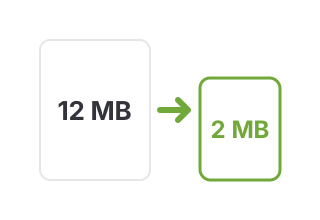
Compress to the exact size you need

Type how many MB the file should be and TransformaPDF gets there with the best possible quality. Or just pick one of the preset levels.

Compress PDF →
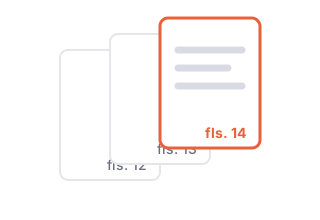
Ready to submit

Number the pages, split the document to fit an upload limit and merge attachments in the right order, all in one place.

Split by size →

Start now. It's free.

No sign-up, no usage limits, nothing to install.

← All tools

Protect PDF

Add a password to your PDF.

Leave blank for one file per page. Multiple parts come in a .zip.

Great for email attachments or portals with upload limits.

Compression level

To shrink it, pages are turned into images: great for scans, but text is no longer selectable. If the file already fits, it comes out unchanged.

The crop applies to every page, as shown in the thumbnails.

Maria da Silva

Visual signature (image). It does not replace a certificate-based digital signature.

The PDF comes out without a password. Pages become images, so text is no longer selectable.

Keep the password safe: without it the file can't be opened.

The first time, the text reader downloads a few MB. Your file stays on your device.

Upload a PDF with form fields to fill it in here.

Your files never leave your device

How to use: Protect PDF

Sending a contract, a medical report or personal documents by email? Add an open password to the PDF. The file is encrypted with 256-bit AES and only opens with the password you choose. You can also block editing and text copying.

  1. Upload the PDF you want to protect.
  2. Type the password twice and, if you like, block editing and copying.
  3. Click Protect PDF and download the password-protected file.

Your files never leave your device

Everything is processed in your browser. Your document is not sent to any server and nothing is stored after you close the page.

Frequently asked questions

How secure is it?

The PDF is encrypted with 256-bit AES, the strongest standard in the PDF format. Without the password, the content can't be read.

I forgot the password. Can I recover it?

No. The password isn't stored anywhere, not even by TransformaPDF. Keep it safe or keep an unprotected copy.

Is my password saved on the site?

No. Encryption happens in your browser, and neither the file nor the password is sent to a server.

How should I share the password?

Through a different channel from the file. If you emailed the PDF, send the password by text message or phone.

Is TransformaPDF free?

Yes. Every available tool is free, with no sign-up and no watermark. The site is supported by ads.

Are my files uploaded to a server?

No. Processing happens in your browser. Files are never uploaded or stored by TransformaPDF.

Related guides

Other tools